The best audio mixers for a home setup depend on whether you need instrument recording, hands-on streaming controls, or game and chat audio in one place. These picks range from compact XLR interfaces to gaming-focused mixers, so check the connections and microphone support that match your equipment.
Quick Top Products
FIFINE Ampli 1
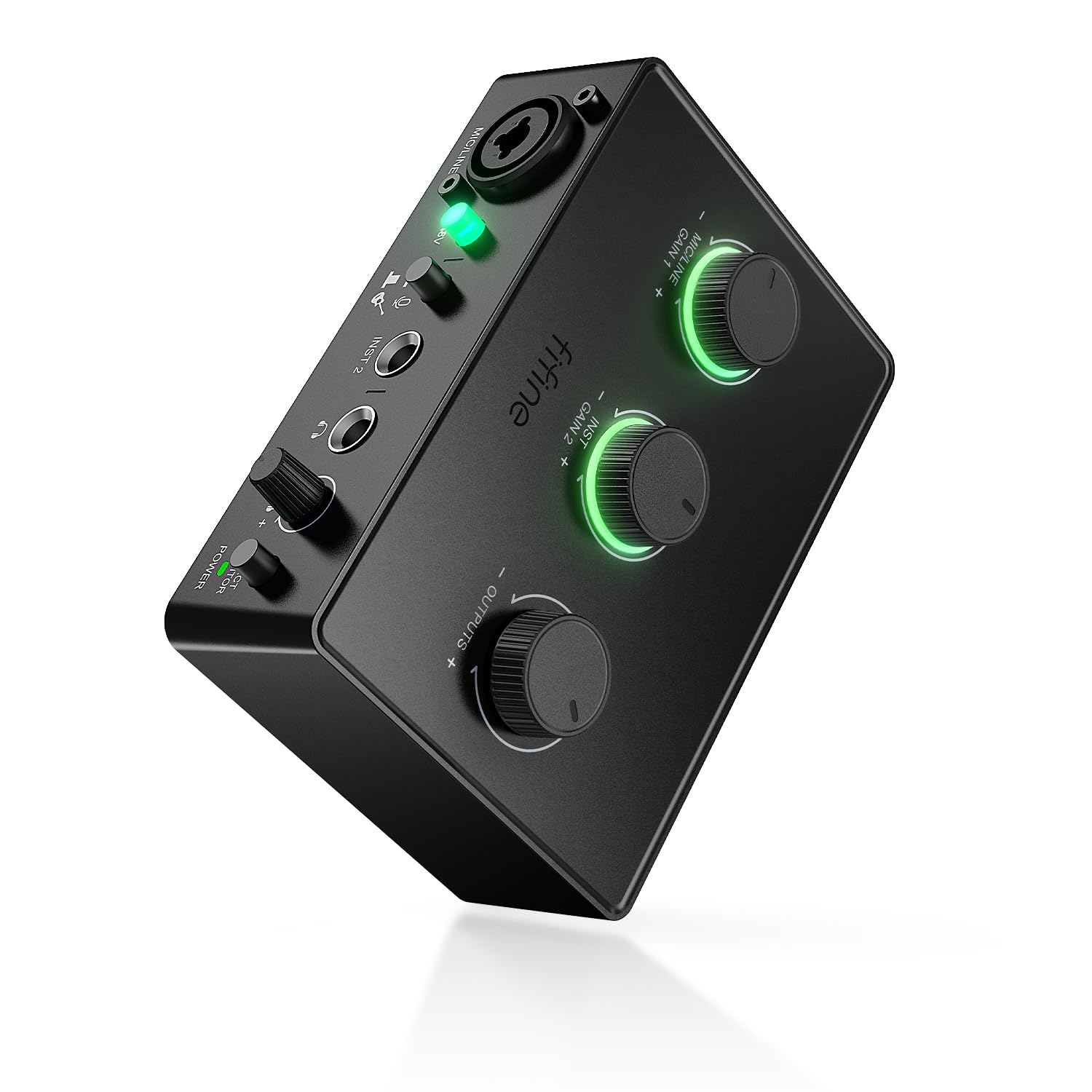
- Combines an XLR mic input with a dedicated instrument input.
- Provides 48V phantom power and a mic gain knob.
- Includes direct monitoring and separate output volume control.
Best For: Home musicians and podcasters who want XLR microphone and instrument inputs in a compact USB mixer.

FIFINE AmpliGame SC3W
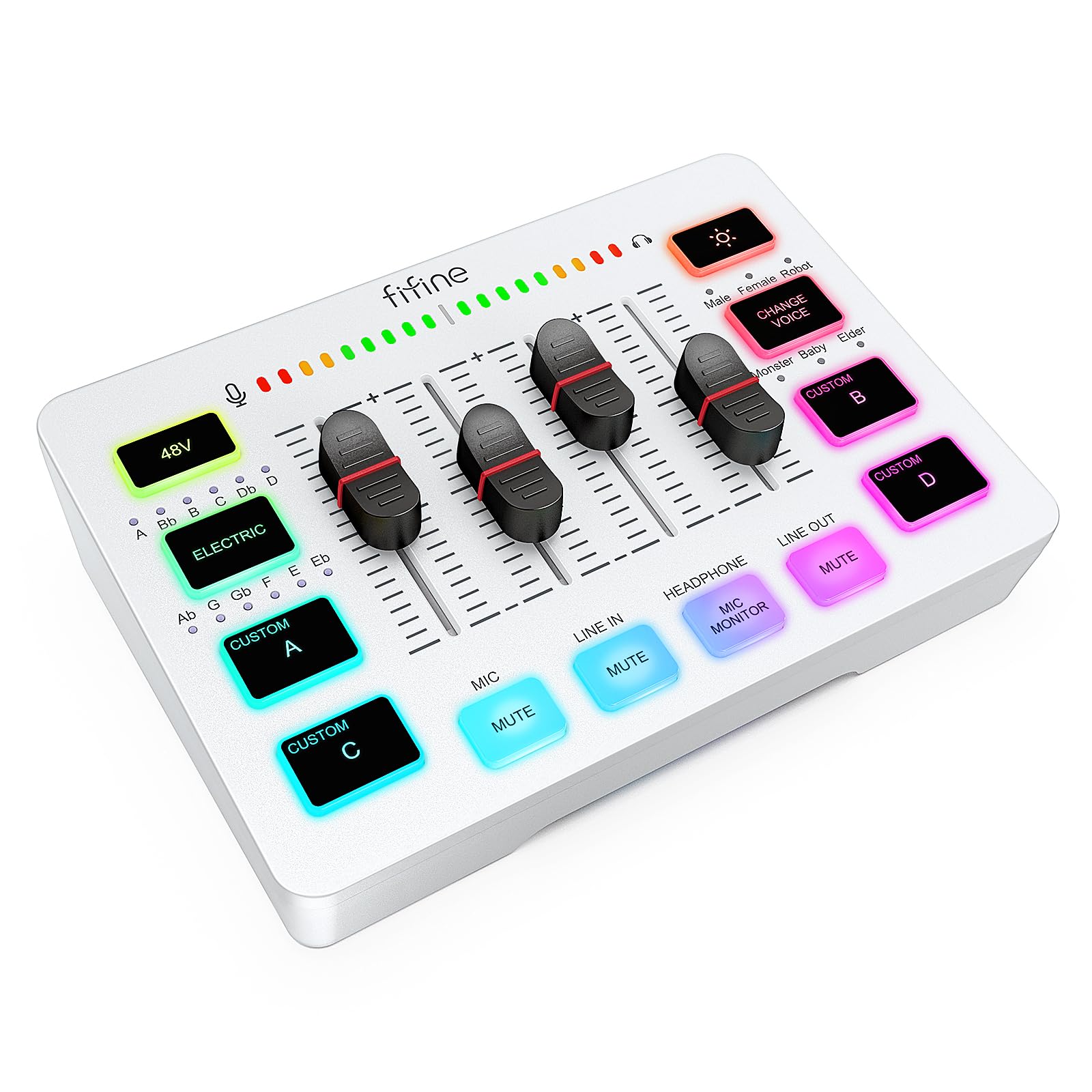
- Has four individual control channels with volume faders.
- Accepts an XLR microphone and provides 48V phantom power.
- Supports dual-PC connections and includes mute and monitoring controls.
Best For: Streamers who want individual channel faders, an XLR mic input, and connections for a dual-PC setup.
FIFINE AmpliGame SC3
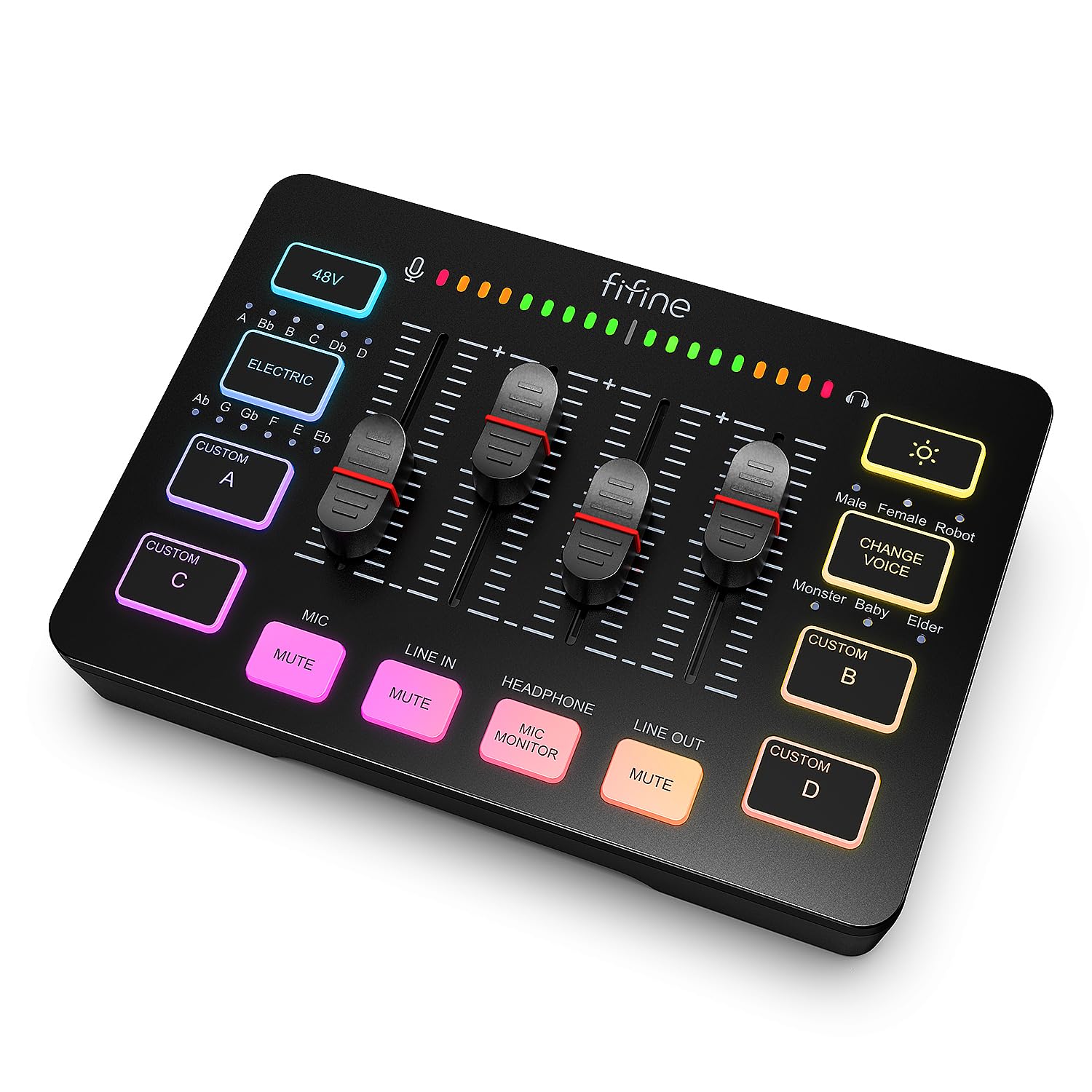
- Separately controls microphone, line-in, headphone, and line-out channels.
- Includes front mute and real-time monitoring buttons.
- Adds four customizable sound buttons and six voice-changing modes.
Best For: PC streamers who want individual mic, line, headphone, and output controls with an XLR microphone.
MAONO MaonoCaster G1 NEO
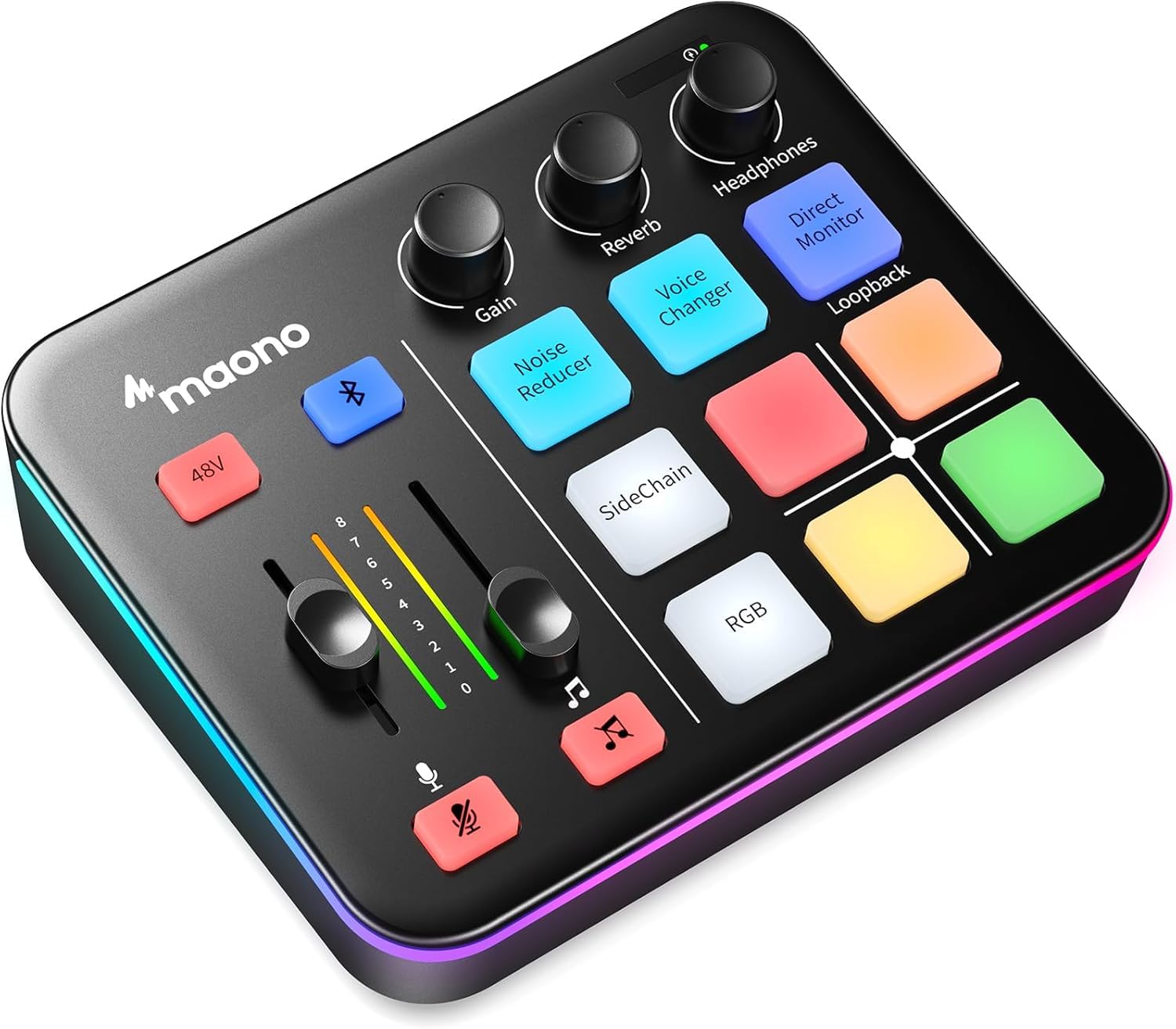
- Pairs an XLR input with a preamp and 48V phantom power.
- Supports Bluetooth accompaniment, loopback, and one-click direct monitoring.
- Includes sound pads, voice effects, and customizable RGB lighting.
Best For: New streamers using an XLR microphone who want Bluetooth accompaniment, loopback, and one-touch controls.
FIFINE AmpliGame SC8P
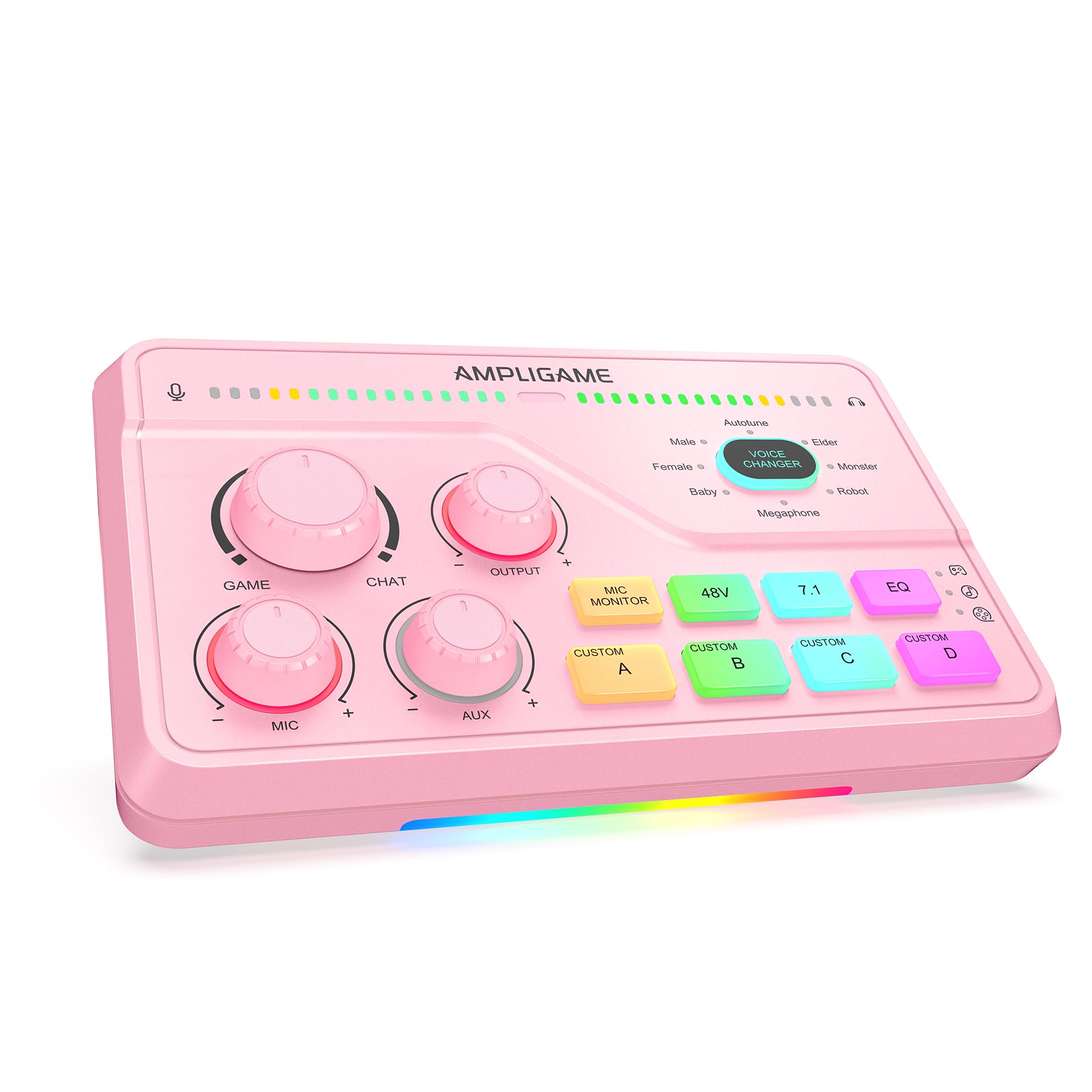
- Provides separate volume and mute controls for mic, game, and background audio.
- Includes virtual 7.1 surround and Game, Music, and Movie EQ modes.
- Supports USB-C devices, with optical AUX for PS4 or TV.
Best For: Gamers and streamers who want game, music, and movie EQ presets with separate mic, game, and background controls.
FIFINE AmpliGame SC8W
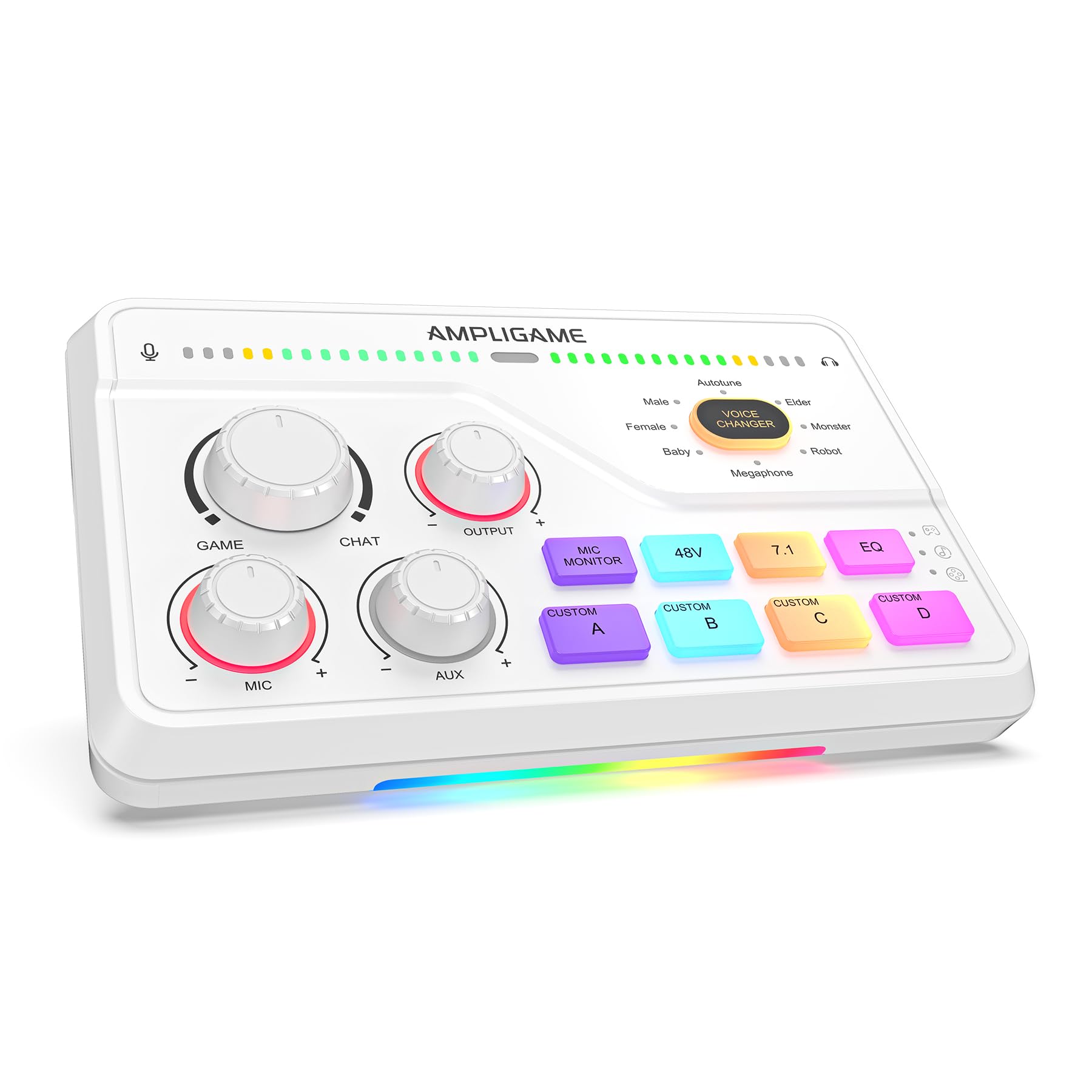
- Has a tactile Game/Chat balance dial and virtual 7.1 surround.
- Supports XLR microphones with phantom power and a Dynamic/Condenser switch.
- Offers optical AUX, 3.5 mm AUX-in, and USB-C connections.
Best For: Players who want a tactile game and chat balance dial, virtual surround, and customizable sound keys.
FIFINE AmpliGame SC8
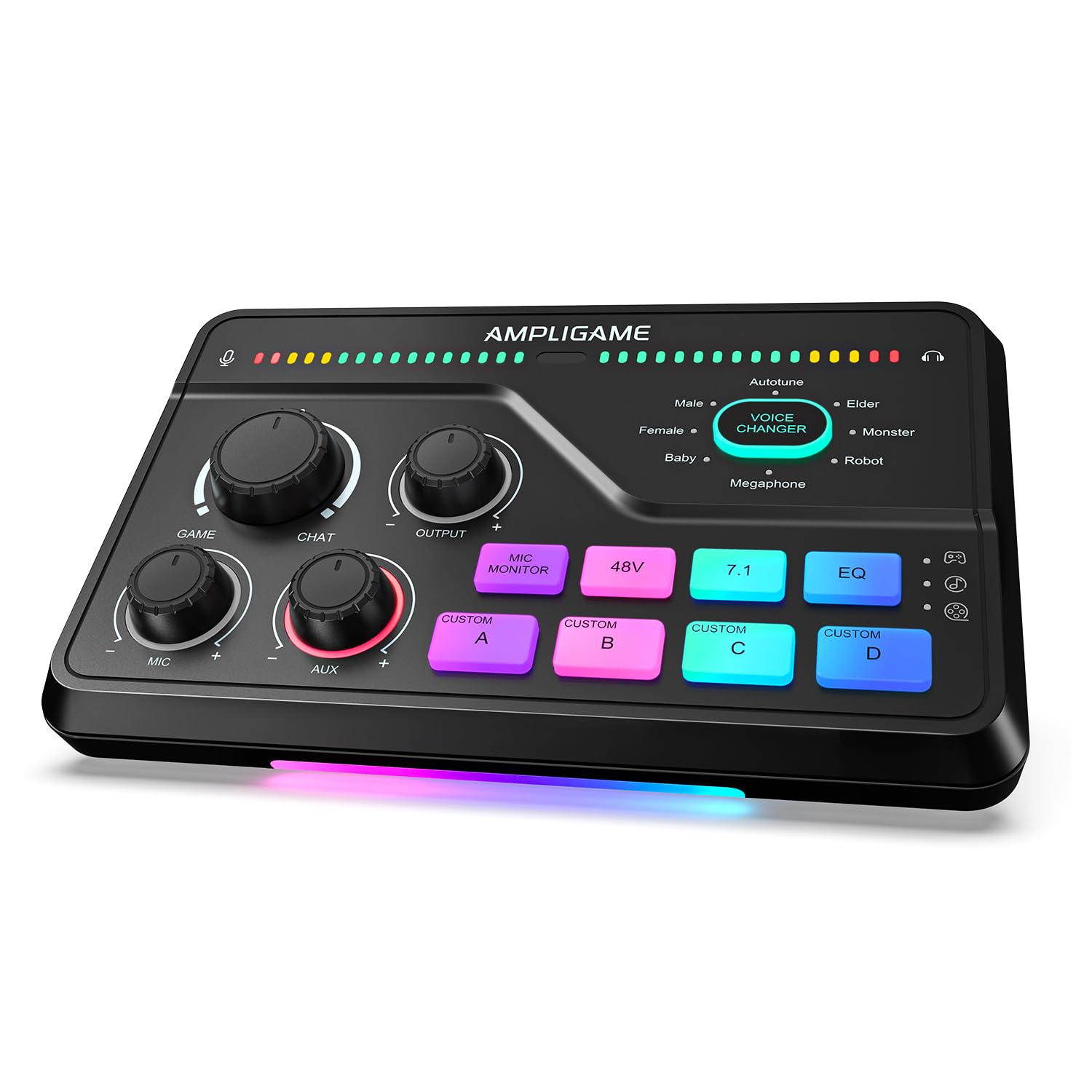
- Includes Game/Chat balance, virtual 7.1 surround, and three EQ presets.
- Has three push-mute knobs for mic, game, and background audio.
- Supports XLR microphones and multiple gaming-device connection options.
Best For: Streamers seeking a gaming mixer with Game/Chat balance, three EQ presets, and customizable sound controls.
Instrument-Ready Recording Interface
FIFINE PC Audio Mixer for Recording Music, USB Interface for Streaming and Podcasting with XLR, Monitor, 48V Phantom Power, Gain Knob, for Instrument Guitar/Video Content Creation/Vocal-Ampli 1
The FIFINE Ampli 1 pairs an XLR microphone input with a dedicated instrument input, making it a practical fit for recording voice alongside guitar or bass. Its 48V phantom power supports condenser microphones, and a gain knob gives you direct control over mic input level.
A separate output volume knob and direct monitoring control help manage playback and listen to a recording in real time. It connects to Mac and PC with plug-and-play operation.
This is a focused recording interface rather than a mixer built around gaming effects or multiple independently controlled channels, so it suits a simple home recording workflow.
Best For: Home musicians and podcasters who want XLR microphone and instrument inputs in a compact USB mixer.
| Pros | Cons |
|---|---|
|
|
Choose this mixer if your audio setup includes an XLR microphone and a guitar or bass. The dedicated instrument input distinguishes it from the gaming models, while the gain, output, and monitoring controls keep key adjustments on the device.
Before buying, confirm the inputs fit your instruments and microphone, and check what cables your setup requires. The supplied details do not identify simultaneous recording channel count, so verify that if you plan to record several sources at once.
Dual-PC Streaming Controls
FIFINE Audio Mixer, Gaming Streaming PC Mixer with Slider Fader, XLR Microphone Interface, Monitoring, for Video/Game Voice/Podcast Recording-AmpliGame SC3W
The FIFINE AmpliGame SC3W puts four individual controls on a compact gaming and streaming mixer, giving separate adjustment for connected audio sources. It accepts an XLR microphone and has built-in 48V phantom power for condenser microphones.
Mute, volume adjustment, and real-time monitoring are included for hands-on stream control. Its multiple rear audio ports support connecting two PCs or mixing audio devices, which can suit a streaming desk with more than one source.
RGB lighting, voice changing, and customizable sound buttons add entertainment features. This model is most relevant when those controls and effects matter more than instrument-focused recording inputs.
Best For: Streamers who want individual channel faders, an XLR mic input, and connections for a dual-PC setup.
| Pros | Cons |
|---|---|
|
|
Pick the SC3W if your setup needs hands-on faders and may route audio between two computers. Its four individual controls and XLR support give streamers practical adjustment options, while sound buttons and voice effects add a more entertainment-oriented layer.
Confirm the rear connections match your computers and other audio devices before buying, since the supplied details do not enumerate each port. For recording guitar or bass, the Ampli 1 has a dedicated instrument input that this model’s details do not identify.
Streaming Mixer With Channel Faders
FIFINE Gaming Audio Mixer, Streaming RGB PC Mixer with XLR Microphone Interface, Individual Control, Volume Fader, Mute Button, 48V Phantom Power, for Podcast/Recording/Vocal/Game Voice-AmpliGame SC3
The FIFINE AmpliGame SC3 provides four separately controlled channels for microphone, line input, headphones, and line output. Its smooth volume fader and front mute and monitoring buttons put frequent stream adjustments within reach.
An XLR input and 48V phantom power support condenser microphones, while four customizable sound buttons and six voice-changing modes add effects for live content. RGB lighting is also included.
The mixer connects with Windows and Mac computers and supports two-PC setups or audio mixing. An XLR cable is not included, so plan for that separately if you do not already have one.
Best For: PC streamers who want individual mic, line, headphone, and output controls with an XLR microphone.
| Pros | Cons |
|---|---|
|
|
The SC3 suits streamers who want separate physical controls for microphone, line, headphone, and output levels. Its front mute and monitor buttons are useful when adjusting a live setup, while the sound buttons and voice modes cater to interactive content.
Check the listed port arrangement against your computer and audio gear, and budget for an XLR cable if needed. For voice-only use, the SC3W also offers four controls, but the SC3 details identify the specific channels each control handles.
Bluetooth Accompaniment for Game Streaming
MAONO Gaming Audio Mixer, Audio Interface with Pro-preamp, RGB, Bluetooth, 48V Phantom Power for Live Streaming, Podcasting, Content Create, Gaming MaonoCaster G1 NEO (Not for USB Mic)
The MAONO MaonoCaster G1 NEO combines an XLR microphone input with a preamp and 48V phantom power, plus one-click noise reduction, mute, direct monitoring, and loopback. Bluetooth accompaniment input lets you add audio from another device to a stream.
It also includes customizable sound pads, reverb, sidechain, voice changing, and RGB lighting. Compatibility covers computers, phones, tablets, PS4, and PS5, along with common streaming and video-call software.
It does not support USB microphones or Xbox, so check your mic and platform first. Its compact interface is aimed at streaming and gaming rather than instrument recording.
Best For: New streamers using an XLR microphone who want Bluetooth accompaniment, loopback, and one-touch controls.
| Pros | Cons |
|---|---|
|
|
Choose the G1 NEO if you stream with an XLR microphone and want Bluetooth accompaniment or loopback without adding those controls in software. Its broad listed compatibility covers several platforms, but Xbox and USB microphones are explicit exclusions.
Confirm your platform and microphone type before purchase. If you need to record guitar or bass through a dedicated instrument input, the FIFINE Ampli 1 is the more clearly matched option among these picks.
Three EQ Modes for Gaming Audio
FIFINE Streaming Audio Mixer with XLR Mic Interface & 7.1 Surround Sound, Gaming RGB Mixer for PC/PS4 with Individual Volume Knob, 3 EQ Mode, 48V Phantom Power,Voice Changer-AmpliGame SC8P
The FIFINE AmpliGame SC8P combines an XLR microphone input with 48V phantom power and three volume knobs for microphone, game audio, and background music. Each knob has a mute button, and mic monitoring lets you hear your voice while adjusting it.
Its virtual 7.1 surround feature and Game, Music, and Movie EQ modes target gaming and entertainment audio. Connections include USB-C plug-and-play for PC, PS5, Switch, and mobile devices, plus optical AUX for PS4 or TV and a 3.5 mm AUX input.
It also includes voice effects, four instant-access sound keys, and RGB lighting.
Best For: Gamers and streamers who want game, music, and movie EQ presets with separate mic, game, and background controls.
| Pros | Cons |
|---|---|
|
|
The SC8P is a fit for users who regularly switch between game, music, and movie audio and want those sources controlled at the mixer. Its three knobs, mute buttons, and EQ modes make the gaming focus clear.
Check your device connection before buying, especially if you plan to use optical AUX with a TV or PS4. For a setup centered on Game/Chat balance or a larger set of voice effects, compare the SC8W and SC8 details as well.
Dedicated Game and Chat Balance
FIFINE Audio Mixer for Gaming with 7.1ch Surround Sound-Volume Knob-Mute-Voice Chat, RGB Computer Mixer with XLR Mic Interface Compatible wtih TV for Live Streaming-AmpliGame SC8W
The FIFINE AmpliGame SC8W centers on gaming communication, with a dedicated Game/Chat dial and virtual 7.1 surround. It accepts an XLR microphone, includes 48V phantom power, and has a Dynamic/Condenser switch for microphone type.
Three intuitive knobs support on-the-fly audio adjustment, alongside mute and volume controls. Optical AUX connects to PS4 or a TV, while 3.5 mm AUX-in adds background audio and USB-C supports PC, PS5, Switch, or mobile devices.
Eight voice effects and four customizable sound keys round out the streaming tools. Check the connection and mic requirements for your setup before buying.
Best For: Players who want a tactile game and chat balance dial, virtual surround, and customizable sound keys.
| Pros | Cons |
|---|---|
|
|
Choose the SC8W if balancing game audio against team chat is your main priority. Its dedicated dial, multiple connection options, and customizable sound keys give it a gaming and streaming role distinct from recording interfaces.
Verify that your platform uses one of its supported connection paths, and have an XLR cable ready if needed. The SC8P offers named Game, Music, and Movie EQ modes, while the SC8W details emphasize Game/Chat balance and eight voice effects.
Eight Voice Effects and Game/Chat Dial
Fifine Gaming Mixer for Voice Chat and Streaming- 7.1ch Surround Sound Headphone Amp-XLR Preamp-USB Plug & Play-Voice Changer-RGB-Volume Control-3 EQ Modes Ampligame SC8
The FIFINE AmpliGame SC8 combines a dedicated Game/Chat balance dial with virtual 7.1 surround and Game, Music, and Movie EQ presets. Its XLR input has 48V phantom power and a Dynamic/Condenser switch, while three push-mute knobs control microphone, game, and background audio.
The mixer connects to PC, PS5, Switch, and mobile devices through USB-C, and optical AUX supports PS4 or TV; a 3.5 mm input accommodates additional audio. Eight voice effects and four customizable sound buttons support game chat and streams.
It does not work with USB microphones, and the XLR cable is not included.
Best For: Streamers seeking a gaming mixer with Game/Chat balance, three EQ presets, and customizable sound controls.
| Pros | Cons |
|---|---|
|
|
The SC8 suits gamers who want both a Game/Chat dial and named EQ presets, along with quick access to voice effects and custom sounds. Its connections cover several listed gaming devices, but confirm how your intended device will connect before purchase.
It requires an XLR or 6.35 mm microphone rather than a USB mic, and the XLR cable is separate. Compared with the SC8W, its details specify three EQ modes and push-mute knobs for three audio sources.
How to Choose Audio Mixers
How We Picked Audio Mixers
These audio mixers serve distinct home use cases: recording voice and instruments, managing a stream, or controlling game and chat audio. We prioritized products with clearly described connections and physical controls, then matched each to the work its inputs and features support.
The Ampli 1 stands out for its dedicated instrument input; the SC3 models and MAONO G1 NEO focus on streaming controls; the SC8 models target gaming audio.
The category includes both recording interfaces and gaming mixers, so a larger feature list does not automatically make one a better fit. Choose based on the signal sources you need to connect and the adjustments you want to make without switching software.
Comparing Audio Mixers for Home Use
Start with the inputs. The FIFINE Ampli 1 has both XLR microphone and instrument inputs, while the streaming and gaming picks center on XLR microphones and auxiliary audio.
If you record guitar or bass, confirm that the mixer has an instrument input rather than assuming an AUX connection serves the same purpose.
Next, consider control layout. The SC3 separates microphone, line, headphone, and output levels.
The SC3W provides four individual controls and supports a dual-PC setup, while the G1 NEO adds Bluetooth accompaniment and loopback. For game audio, the SC8P offers three EQ modes and separate source knobs; the SC8W and SC8 include a Game/Chat balance dial.
| Product | Standout features | Best for |
|---|---|---|
| FIFINE Ampli 1Check Price |
| Home musicians and podcasters who want XLR microphone and instrument inputs in a compact USB mixer. |
| FIFINE AmpliGame SC3WCheck Price |
| Streamers who want individual channel faders, an XLR mic input, and connections for a dual-PC setup. |
| FIFINE AmpliGame SC3Check Price |
| PC streamers who want individual mic, line, headphone, and output controls with an XLR microphone. |
| MAONO MaonoCaster G1 NEOCheck Price |
| New streamers using an XLR microphone who want Bluetooth accompaniment, loopback, and one-touch controls. |
| FIFINE AmpliGame SC8PCheck Price |
| Gamers and streamers who want game, music, and movie EQ presets with separate mic, game, and background controls. |
| FIFINE AmpliGame SC8WCheck Price |
| Players who want a tactile game and chat balance dial, virtual surround, and customizable sound keys. |
| FIFINE AmpliGame SC8Check Price |
| Streamers seeking a gaming mixer with Game/Chat balance, three EQ presets, and customizable sound controls. |
Choosing a Mixer for Streaming and Recording
Check microphone compatibility before choosing. Several products support XLR microphones and 48V phantom power for condenser models.
The MAONO G1 NEO and FIFINE SC8 explicitly do not support USB microphones, and the G1 NEO is also not compatible with Xbox. The SC8 family details specify XLR support, with the SC8 also supporting a 6.35 mm microphone.
Think through the signal path from each device to the mixer. USB-C, optical AUX, 3.5 mm AUX, and line connections are not interchangeable.
The SC8 models list optical AUX for PS4 or TV and USB-C for other named devices; the Ampli 1 is the more direct choice when you need a dedicated instrument input. Check cable needs as well: XLR cables are not included with the SC3 or SC8W, and the SC8 also omits one.
Which Audio Mixer Fits Your Setup?
For home recording with guitar or bass, consider the FIFINE Ampli 1 and confirm its input layout matches the number of sources you plan to record. For PC streaming with separately controlled audio paths, compare the SC3 and SC3W.
The SC3 names its four channels, while the SC3W emphasizes individual faders and dual-PC use.
For Bluetooth accompaniment and one-click streaming features, the MAONO G1 NEO is the focused option, provided you use a supported microphone and platform. For game and chat adjustment, compare the SC8P, SC8W, and SC8 by their EQ presets, balance dial, connections, and sound controls.
Match the mixer to your actual devices and microphone before deciding.