The best computer speakers depend on your desk space, preferred connections, and whether you want simple playback or a fuller stereo setup. These picks range from compact powered speakers with USB and Bluetooth to straightforward AUX models and a 2.1 system with a separate subwoofer.
Quick Top Products
Audioengine A2+ Wireless
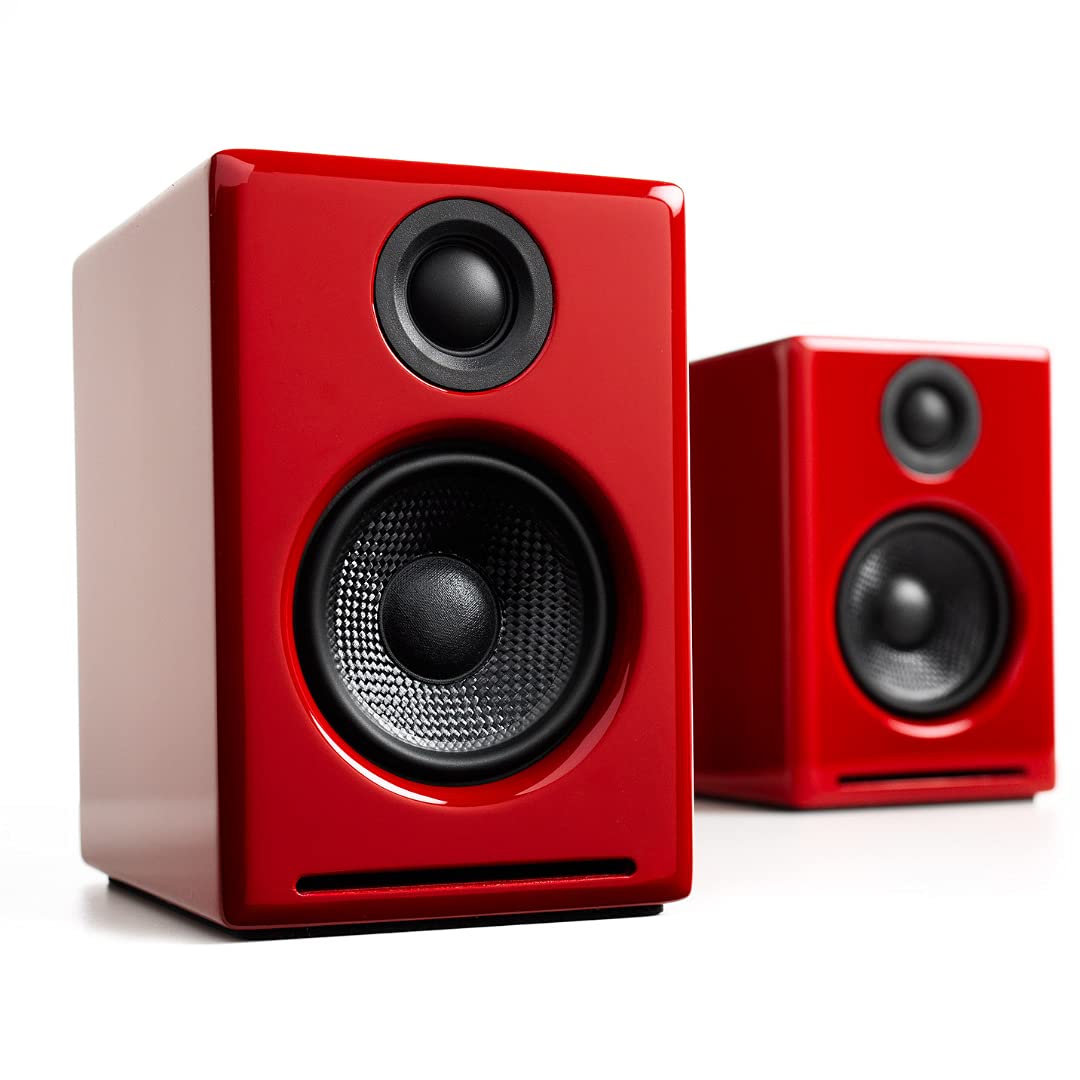
- Compact powered speakers designed for nearfield desktop listening.
- USB-C input connects through an integrated 24-bit DAC.
- Bluetooth 5.3 aptX-HD, RCA, and 3.5 mm inputs support varied sources.
Best For: People who want compact speakers with wired digital input and Bluetooth for a desktop setup.

Nylavee SK100Pro 2.1 Speakers
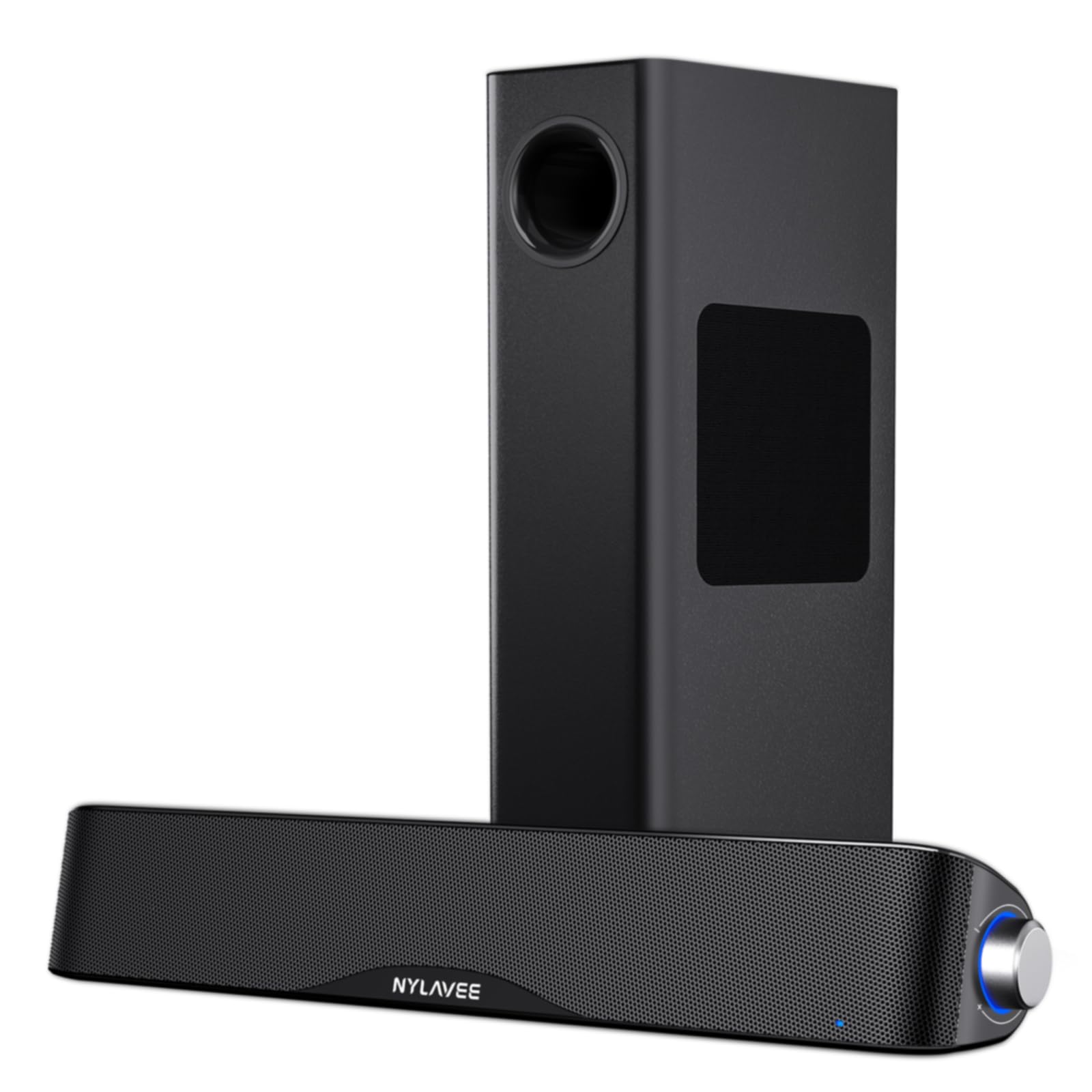
- 2.1-channel system with a separate wired 5.25-inch subwoofer.
- Bluetooth 5.4 and 3.5 mm AUX support wireless and wired playback.
- Side knob controls power, input mode, and volume.
Best For: Desktop listeners who want Bluetooth plus a separate subwoofer for games, movies, and music.
Audioengine A5+ Wired Speakers
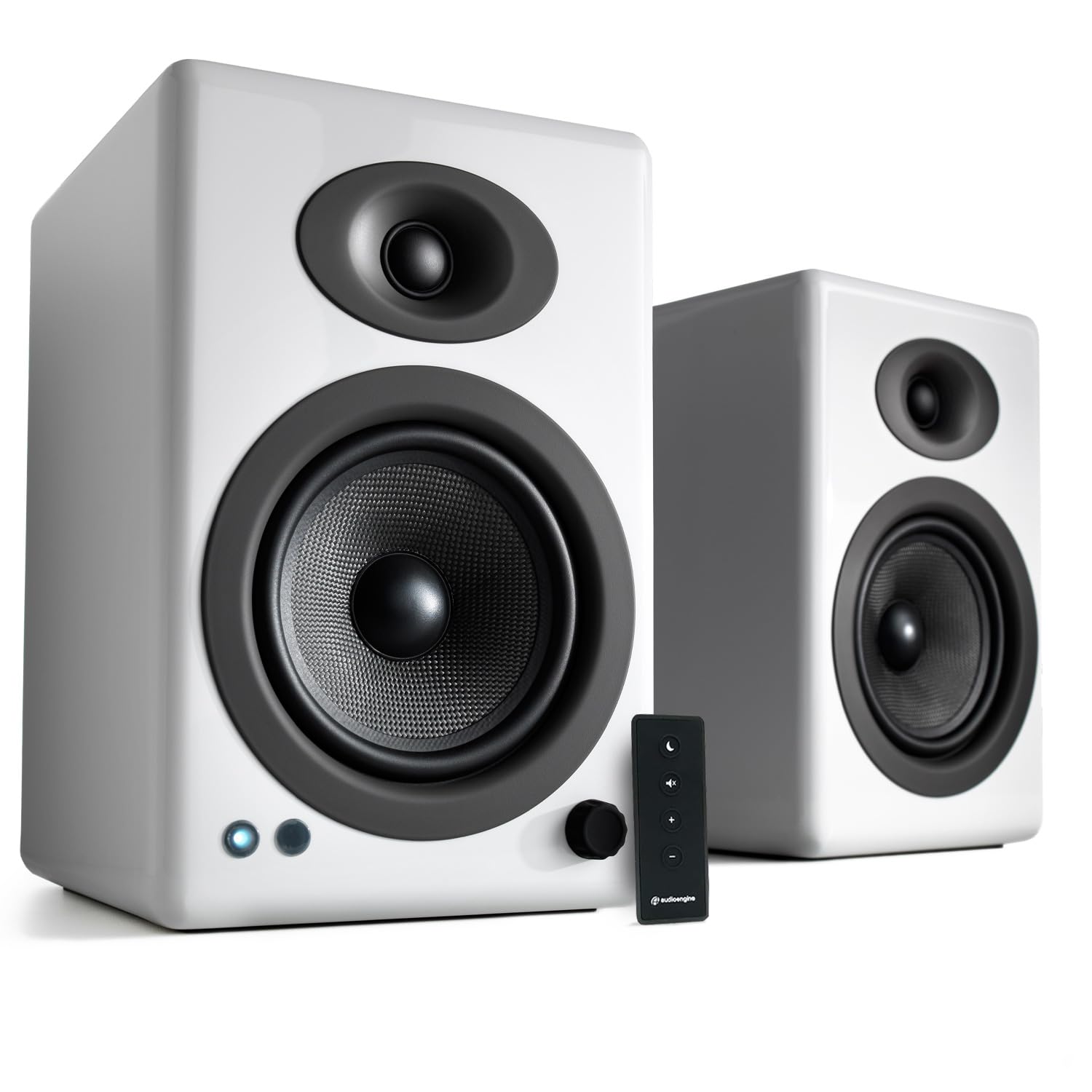
- Powered bookshelf speakers with 150 watts of listed output.
- RCA and 3.5 mm AUX inputs connect computers, TVs, consoles, and turntables.
- Wood cabinets suit bookshelf, office, or living-room placement.
Best For: Listeners who want powered bookshelf speakers for a computer and other wired audio sources.
Audioengine HD3 Wireless
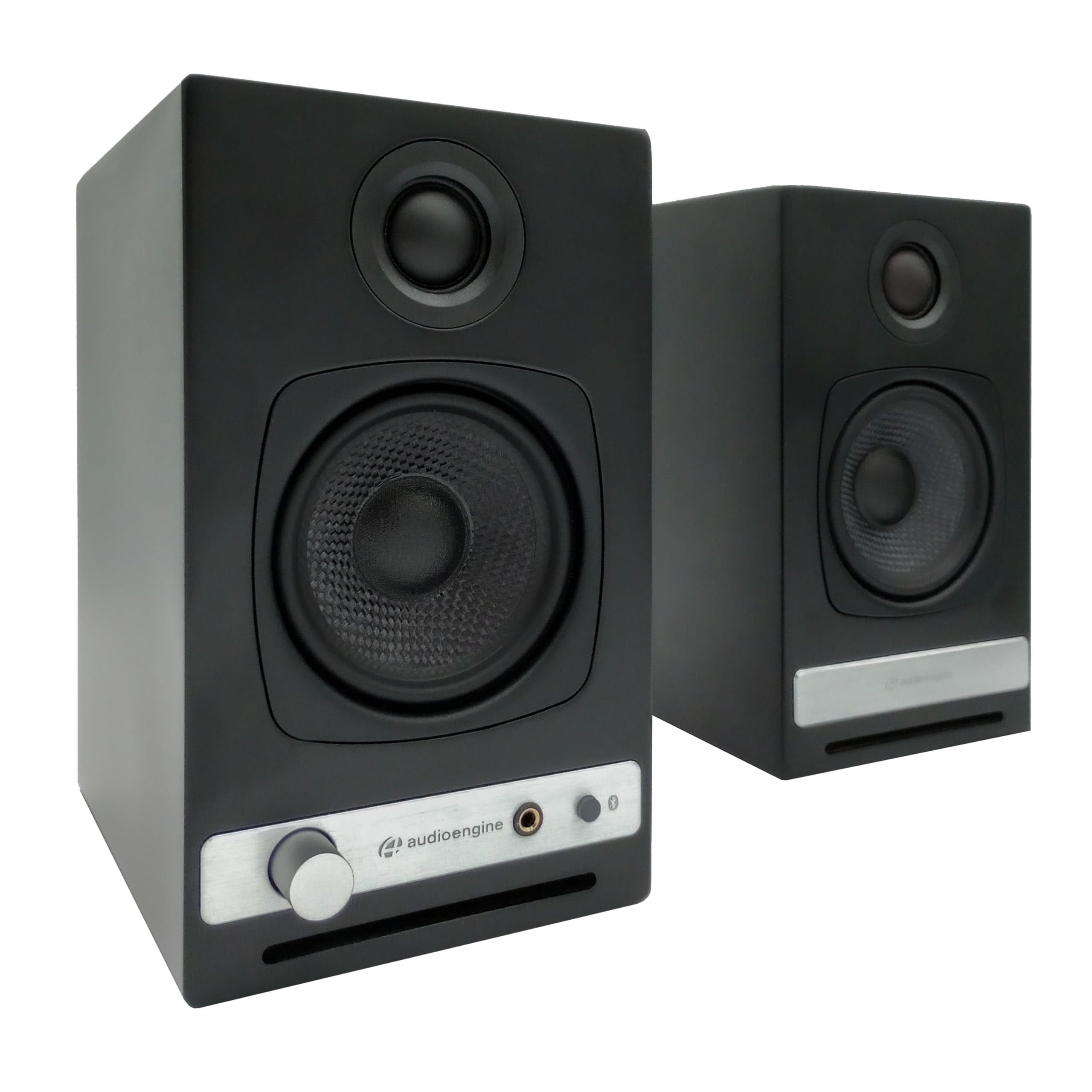
- Bluetooth aptX HD and USB DAC support wireless and direct computer playback.
- RCA and 3.5 mm AUX inputs connect additional audio sources.
- Built-in headphone amplifier with front-panel headphone output.
Best For: Computer users who want Bluetooth, multiple wired inputs, and a built-in headphone amplifier.
Nylavee SK400 Computer Speakers
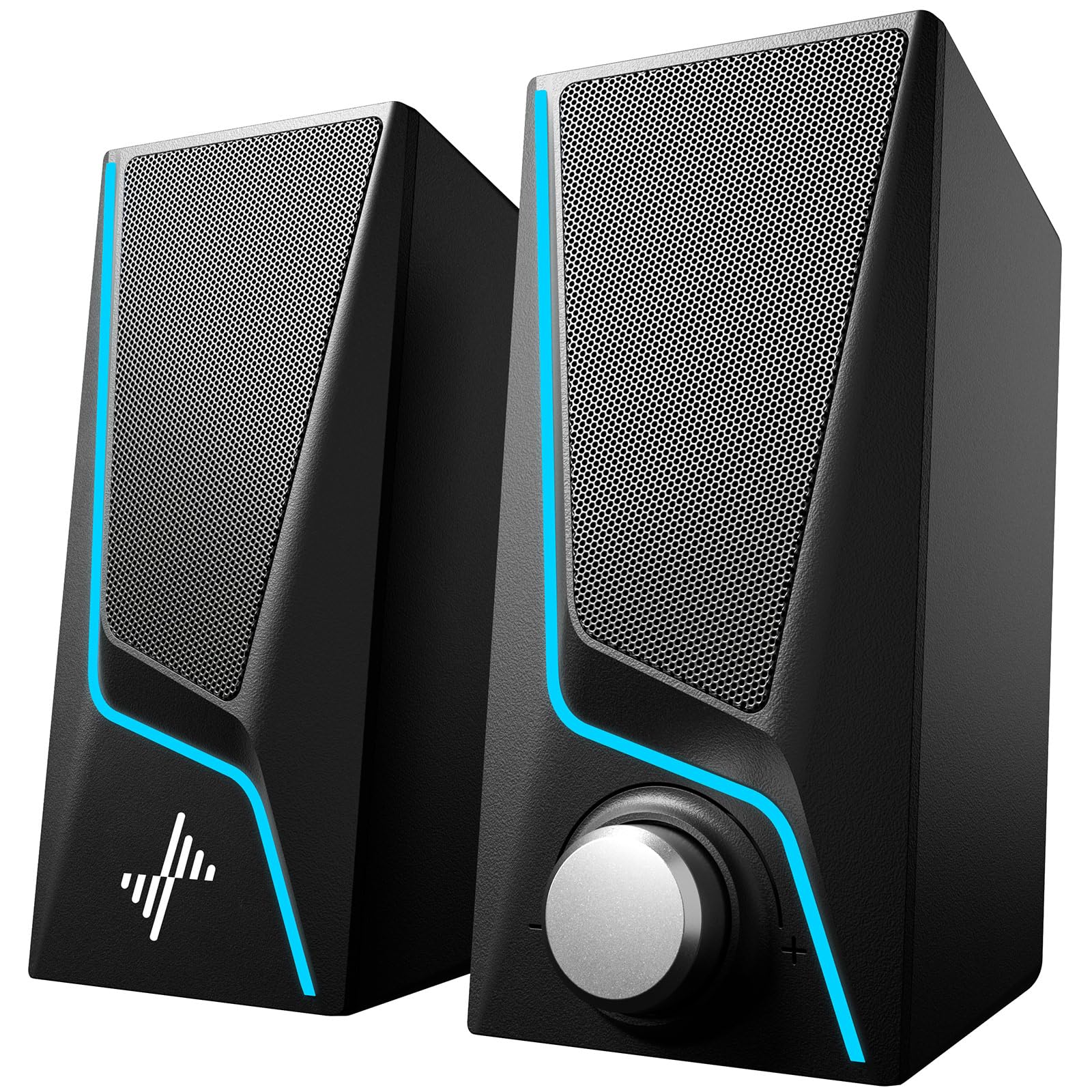
- Stereo pair with dual full-range drivers and two speaker ports.
- Six touch-controlled lighting modes and a single volume knob.
- USB power and 3.5 mm audio connection; Bluetooth is not supported.
Best For: Budget-conscious desktop users who want simple AUX audio and selectable lighting modes.
Nylavee SK700 Computer Speakers
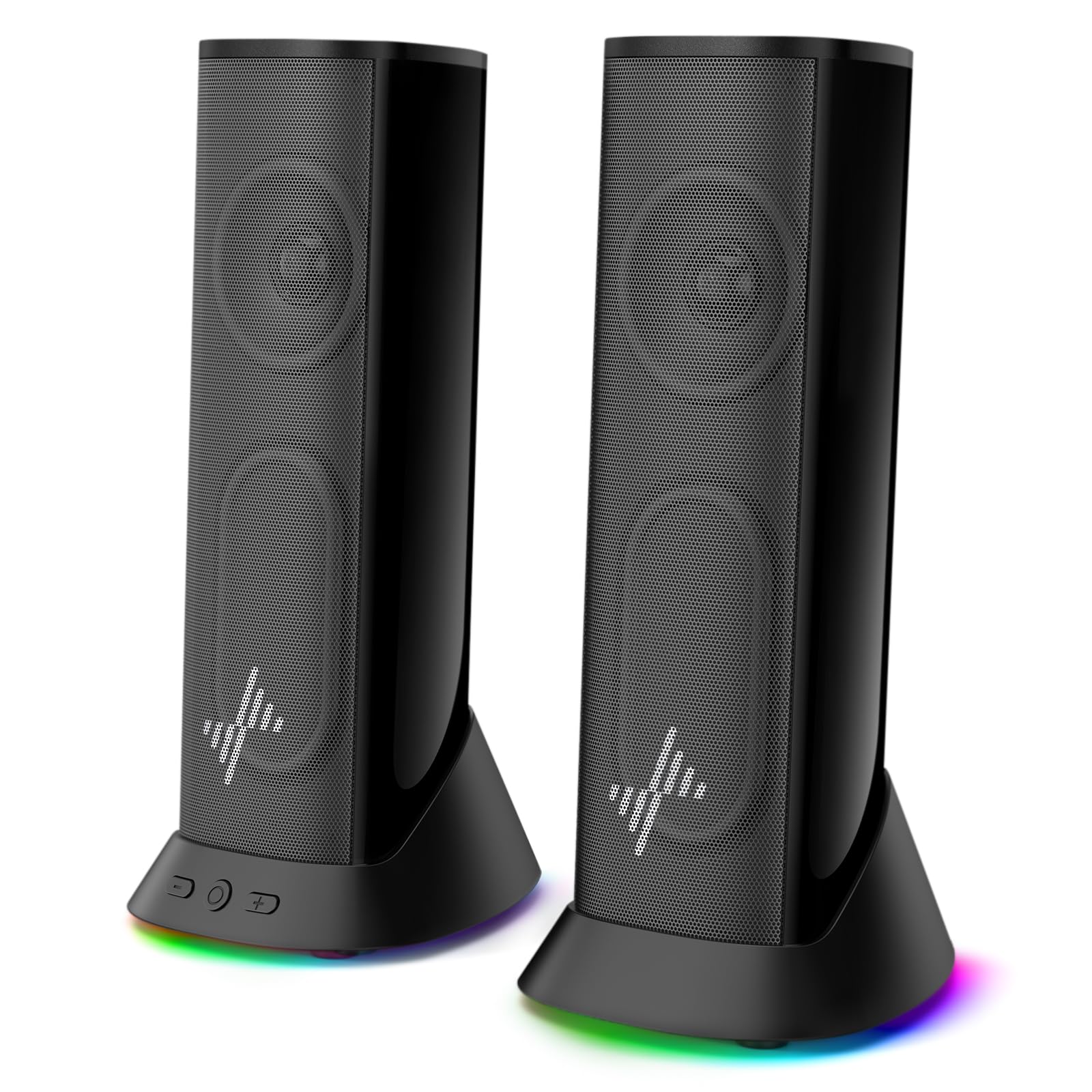
- Dual full-range units and dual passive radiators in a stereo setup.
- Nine lighting modes, with the option to turn lights off.
- USB power and 3.5 mm AUX audio; package includes USB-to-USB-C adapter.
Best For: Desktop and laptop users who want a slim AUX speaker pair with optional lighting.
Audioengine A2+ AIO Bluetooth Speaker
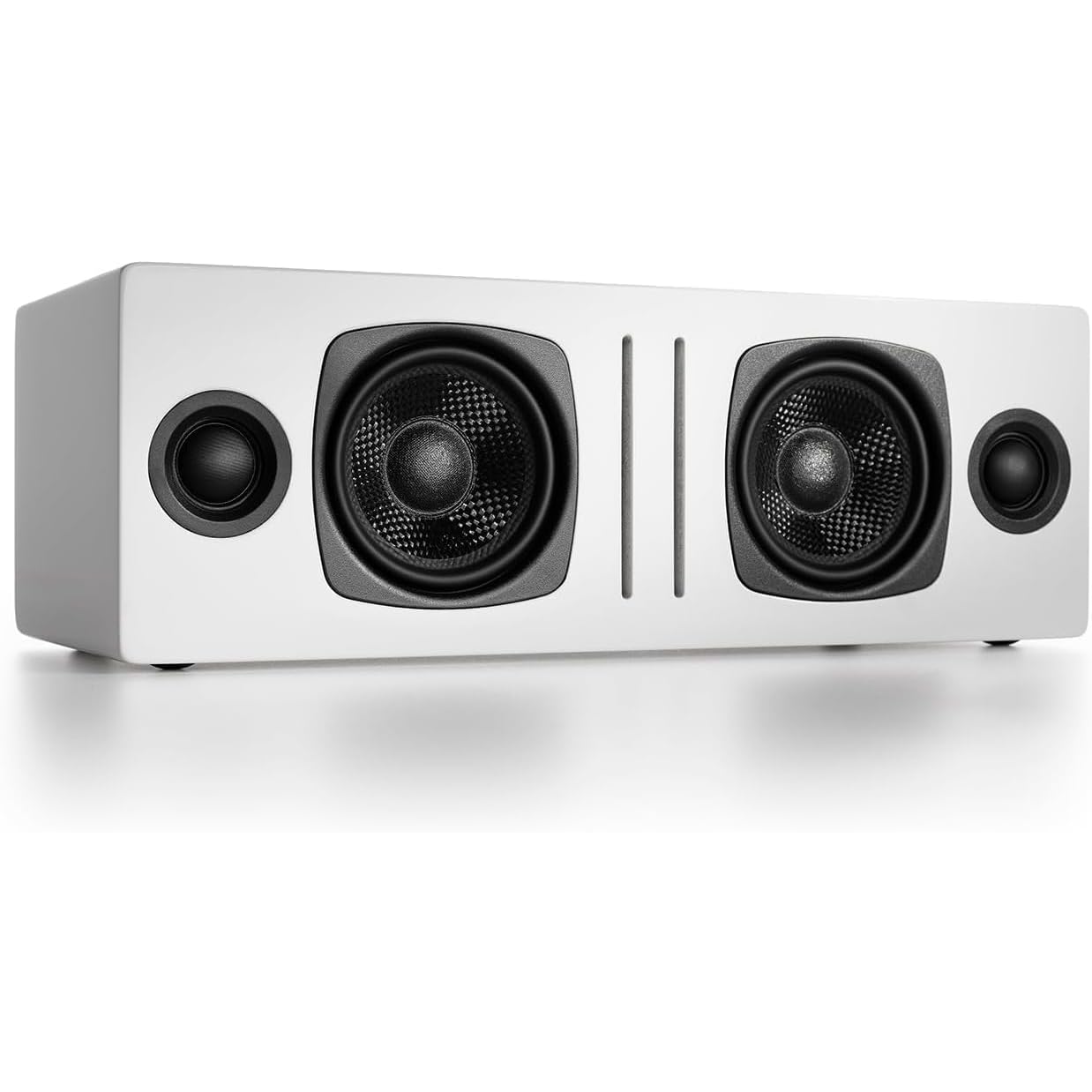
- Bluetooth and 3.5 mm AUX support wireless or wired audio.
- Includes two 2.75-inch woofers and two 0.75-inch silk-dome tweeters.
- Portable all-in-one design with removable magnetic grille.
Best For: People who want a portable Bluetooth speaker that can also play audio from a computer.
Compact Desktop Speakers With USB-C DAC
Audioengine A2+ Wireless Computer Speakers – Bluetooth Desktop Speakers with 24-Bit DAC for PC, Mac, Gaming and Music - Red
The Audioengine A2+ pairs compact powered speakers with real wood cabinets, an integrated 24-bit DAC, and Bluetooth 5.3 with aptX-HD. USB-C, RCA, and 3.5 mm inputs give it room to work with a computer, TV, turntable with a built-in preamp, or gaming system.
Its nearfield design suits a desk where speakers sit close to the listener, while wireless streaming adds a convenient way to play audio from a phone or tablet. The tradeoff is its premium desktop focus: buyers looking for a separate subwoofer or a lower-cost basic speaker pair may prefer another option.
Best For: People who want compact speakers with wired digital input and Bluetooth for a desktop setup.
| Pros | Cons |
|---|---|
|
|
Choose the A2+ if a compact stereo pair and several connection options matter more than a subwoofer-based setup. Its USB-C DAC is useful for direct computer connection, while Bluetooth and analog inputs broaden its role beyond a single PC.
Before buying, check the available desk space and source outputs. The system’s nearfield focus makes it a natural fit for close listening; a larger room or a preference for dedicated bass hardware points toward a different format.
2.1 Setup With Separate Wired Subwoofer
Nylavee Computer Speakers with Subwoofer, 2.1 PC Soundbar, Bluetooth 5.4
The Nylavee SK100Pro combines a computer soundbar with a separate wired 5.25-inch subwoofer in a 2.1-channel system. It supports Bluetooth 5.4 and a 3.5 mm AUX connection, so it can switch between wireless playback and a wired computer or console connection.
A side knob handles power, mode changes, and volume, and the system runs from an included power adapter rather than a built-in battery. This layout suits a desktop entertainment setup where subwoofer placement is practical.
Its wider soundbar and separate bass unit need more space than a compact speaker pair.
Best For: Desktop listeners who want Bluetooth plus a separate subwoofer for games, movies, and music.
| Pros | Cons |
|---|---|
|
|
Pick this 2.1 system if a dedicated subwoofer is central to your desktop setup and you have room for both units. Bluetooth suits phone playback, while AUX covers wired sources such as a computer or console.
The listed Bluetooth range is up to 33 feet, though placement and surroundings can affect practical use. Check the dimensions and cable routing before buying, especially if your desk has limited space or you want a single self-contained speaker bar.
Larger Wired Pair for Room-Filling Playback
Audioengine A5+ Wired Bookshelf Speakers – Powered Speakers for Turntables, Vinyl Records, Music Streaming and Home Theater - White
The Audioengine A5+ is a powered bookshelf speaker pair with 150 watts of listed output and RCA and 3.5 mm AUX inputs. It can connect to a computer, TV, gaming console, or turntable, making it suitable for a desk that also serves as a broader listening area.
Wood cabinets and a larger bookshelf format distinguish it from compact computer speakers built mainly for nearfield use. Bluetooth is not supported, so streaming requires a connected source or a separate compatible device.
Consider this pair when wired connectivity and room-filling playback matter more than a small footprint.
Best For: Listeners who want powered bookshelf speakers for a computer and other wired audio sources.
| Pros | Cons |
|---|---|
|
|
Choose the A5+ if you want one wired speaker pair to serve a computer and other room audio sources. RCA and AUX simplify connections, but this model has no Bluetooth, so plan on wired playback or another device to handle wireless streaming.
Its larger bookshelf footprint also calls for more placement room than the A2+ or small USB-powered options. Check the computer’s output connection and the available shelf or desk space before choosing it.
Desktop Pair With Headphone Output
Audioengine A2 HD (HD3) Wireless Computer Speakers – Bluetooth Desktop Speakers with DAC, Headphone Amplifier and USB Audio - Black
The Audioengine HD3 is a compact powered desktop pair with Bluetooth aptX HD, a USB DAC, RCA and 3.5 mm AUX inputs, and an integrated headphone amplifier with a front-panel output. That combination supports a switch between speaker listening and private headphone use without relying on a separate amplifier.
Its real wood cabinets and desktop-focused size suit a home office or gaming station where connection flexibility matters. The HD3 is a higher-priced choice than basic plug-and-play computer speakers, and its range of inputs is most useful when several sources or headphones are part of the setup.
Best For: Computer users who want Bluetooth, multiple wired inputs, and a built-in headphone amplifier.
| Pros | Cons |
|---|---|
|
|
The HD3 fits a desk where you regularly switch between speakers and headphones or connect multiple sources. Its built-in headphone amplifier and front output are the defining practical features; Bluetooth and USB provide additional computer and mobile playback paths.
If your needs are limited to one wired computer connection, a simpler speaker pair may be easier to justify. Check which devices will use USB, RCA, or AUX so the available inputs match your actual desk arrangement.
Plug-and-Play Speakers With Touch Lighting
Nylavee Computer Speakers for Desktop, PC Speakers with 6 Lighting Modes
The Nylavee SK400 is a tabletop stereo pair with dual full-range speaker units, two speaker ports, six touch-controlled lighting modes, and a single knob for power and volume. It connects audio through a 3.5 mm cable and uses USB for power, so setup is straightforward with devices that provide an AUX output.
The speakers are 7 inches high, making them more prominent than slim desktop bars, and Bluetooth is not supported. This option suits a basic computer or laptop setup where physical controls and customizable lighting matter more than wireless streaming or advanced digital inputs.
Best For: Budget-conscious desktop users who want simple AUX audio and selectable lighting modes.
| Pros | Cons |
|---|---|
|
|
Choose the SK400 for an uncomplicated wired desktop pair with lighting controls and a physical volume knob. Its USB cable supplies power, while the 3.5 mm cable carries audio, so confirm your computer or other source has a compatible output.
The model is taller than slim soundbars and lacks Bluetooth, which makes it less suitable for a minimal desk or wireless-first setup. For those who want a separate subwoofer or a built-in digital connection, consider a different configuration.
Slim USB-Powered Pair With Nine Lighting Modes
Nylavee Computer Speakers, Plug-and-Play PC Speakers for Desktop & Laptop
The Nylavee SK700 is a stereo computer speaker pair with dual full-range units, dual passive radiators, and nine lighting modes that can be switched off. It uses USB power and a 3.5 mm AUX connection, and the package includes a USB-to-USB-C adapter.
Its slim profile and 4.5-foot cable are intended to fit desk setups, including spaces around dual monitors. The listed maximum output is 8 watts, so buyers seeking a more substantial system may want to compare a powered bookshelf pair or the separate-subwoofer option.
No Bluetooth connection is included in the listed connectivity.
Best For: Desktop and laptop users who want a slim AUX speaker pair with optional lighting.
| Pros | Cons |
|---|---|
|
|
The SK700 is a practical fit if you need a slim wired pair for a laptop or desktop and want lighting that can be disabled. Its USB power and AUX audio are separate connections, so check available ports and cable reach before buying.
The listed 8-watt maximum output makes it a different class of setup from the A5+ bookshelf pair or the SK100Pro system with its separate subwoofer. Choose based on desk fit and connection needs rather than lighting modes alone.
Portable Bluetooth Speaker With Stereo Drivers
Audioengine A2 AIO (B2) Bluetooth Speaker – Premium Wireless Home Speaker | for Music Streaming from Phone, Tablet and Computer - White
The Audioengine A2+ AIO is presented as a portable all-in-one Bluetooth speaker for computer, phone, tablet, TV, or gaming-system audio. Its 60-watt peak output, two 2.75-inch woofers, and two 0.75-inch silk-dome tweeters form a compact stereo-oriented design.
Bluetooth and a 3.5 mm AUX input provide wireless and wired playback, while the magnetic grille is removable. This product is less clearly a conventional fixed desktop speaker pair than the other computer-focused options here.
Consider it if portability and flexible placement are priorities, and verify the physical layout and power arrangement for your intended use.
Best For: People who want a portable Bluetooth speaker that can also play audio from a computer.
| Pros | Cons |
|---|---|
|
|
Select the A2+ AIO if you want a portable Bluetooth speaker that can also connect to a computer through AUX. Its woofer and tweeter configuration and 60-watt peak figure distinguish it from basic USB-powered desktop pairs, while its all-in-one positioning makes the physical arrangement worth confirming.
For a fixed desk with separate left and right speakers, the A2+ Wireless or HD3 is a clearer fit. Check how the device will be powered and connected before settling on this option.
How to Choose Computer Speakers
How We Picked Computer Speakers
These picks cover distinct ways to improve computer audio: compact powered desktop pairs, larger wired bookshelf speakers, simple plug-and-play models, a 2.1 system with a separate subwoofer, and a portable Bluetooth option. Each candidate was included because its product details connect it to computer playback.
The useful differences are the speaker layout, input choices, physical size, and controls.
For everyday desktop speakers, connection type often determines convenience. The A2+ Wireless and HD3 combine USB input with Bluetooth and analog connections.
The Nylavee SK400 and SK700 use USB for power and AUX for audio, while the A5+ is a wired bookshelf pair. The SK100Pro adds Bluetooth and a separate wired subwoofer.
Comparing Computer Speakers for Your Setup
The smallest choice depends on your desk, not just the word compact. The Audioengine A2+ Wireless and HD3 are designed for desktop listening, while the SK700 emphasizes a slim profile and an extended cable.
The SK400 is taller, and the A5+ uses a larger bookshelf format suited to placement beyond a monitor stand. Measure shelf height and check cable reach if your computer sits under or beside the desk.
Pay attention to whether USB carries audio or only power. The A2+ Wireless has an integrated DAC and USB-C audio input.
The SK400 and SK700 use USB for power and 3.5 mm AUX for audio, so they need both connections available. Bluetooth helps when you want phone playback without moving cables, as on the A2+, HD3, SK100Pro, and A2+ AIO.
The A5+ is explicitly wired and does not support Bluetooth.
The SK100Pro is the only included option with a separate subwoofer, which adds placement flexibility but takes more space and cable planning. The A5+ offers a larger bookshelf pair without Bluetooth.
At the other end, a simple AUX pair may suit a compact work desk where easy controls matter more than multiple inputs.
| Product | Standout features | Best for |
|---|---|---|
| Audioengine A2+ WirelessCheck Price |
| People who want compact speakers with wired digital input and Bluetooth for a desktop setup. |
| Nylavee SK100Pro 2.1 SpeakersCheck Price |
| Desktop listeners who want Bluetooth plus a separate subwoofer for games, movies, and music. |
| Audioengine A5+ Wired SpeakersCheck Price |
| Listeners who want powered bookshelf speakers for a computer and other wired audio sources. |
| Audioengine HD3 WirelessCheck Price |
| Computer users who want Bluetooth, multiple wired inputs, and a built-in headphone amplifier. |
| Nylavee SK400 Computer SpeakersCheck Price |
| Budget-conscious desktop users who want simple AUX audio and selectable lighting modes. |
| Nylavee SK700 Computer SpeakersCheck Price |
| Desktop and laptop users who want a slim AUX speaker pair with optional lighting. |
| Audioengine A2+ AIO Bluetooth SpeakerCheck Price |
| People who want a portable Bluetooth speaker that can also play audio from a computer. |
Choosing Desktop Speakers for Work, Music, and Games
Think about where you sit and what else shares the speakers. Nearfield designs such as the A2+ Wireless and HD3 are aimed at desktop listening, while the A5+ can also serve a living room, office, or bookshelf setup.
The SK100Pro names gaming consoles among compatible devices and includes Bluetooth and AUX; check which connection works with your particular console and display arrangement.
Headphone listening changes the choice. The HD3 includes a headphone amplifier and front-panel output, so it suits a desk where private listening is part of the routine.
The other products in this roundup do not document that same built-in feature. For lights and direct controls, the SK400 has touch lighting and a single volume knob; the SK700 offers nine lighting modes and can turn them off.
Which Computer Speakers Should You Buy?
Choose the Audioengine A2+ Wireless for compact desktop listening with USB-C DAC, Bluetooth, and several wired inputs. Choose the HD3 if you also want a headphone amplifier and front-panel headphone output.
The A5+ is the wired bookshelf choice for people who want one pair to connect to a computer and other audio sources.
For a separate subwoofer, consider the Nylavee SK100Pro and confirm there is room for both units. For a basic AUX connection with lighting and a physical volume knob, the SK400 is a straightforward fit; the slimmer SK700 adds more lighting modes and passive radiators.
The A2+ AIO is worth considering when portability and Bluetooth matter most, but check its layout and power needs if it will stay at a computer desk.