The best audio interfaces depend on whether you need a focused recording setup, flexible phone connections, or podcast controls for multiple voices. These four MAONO options range from a compact XLR interface to feature-rich mixers, helping you match inputs and workflow to your recording plans.
Quick Top Products
MAONO MaonoCaster AME2
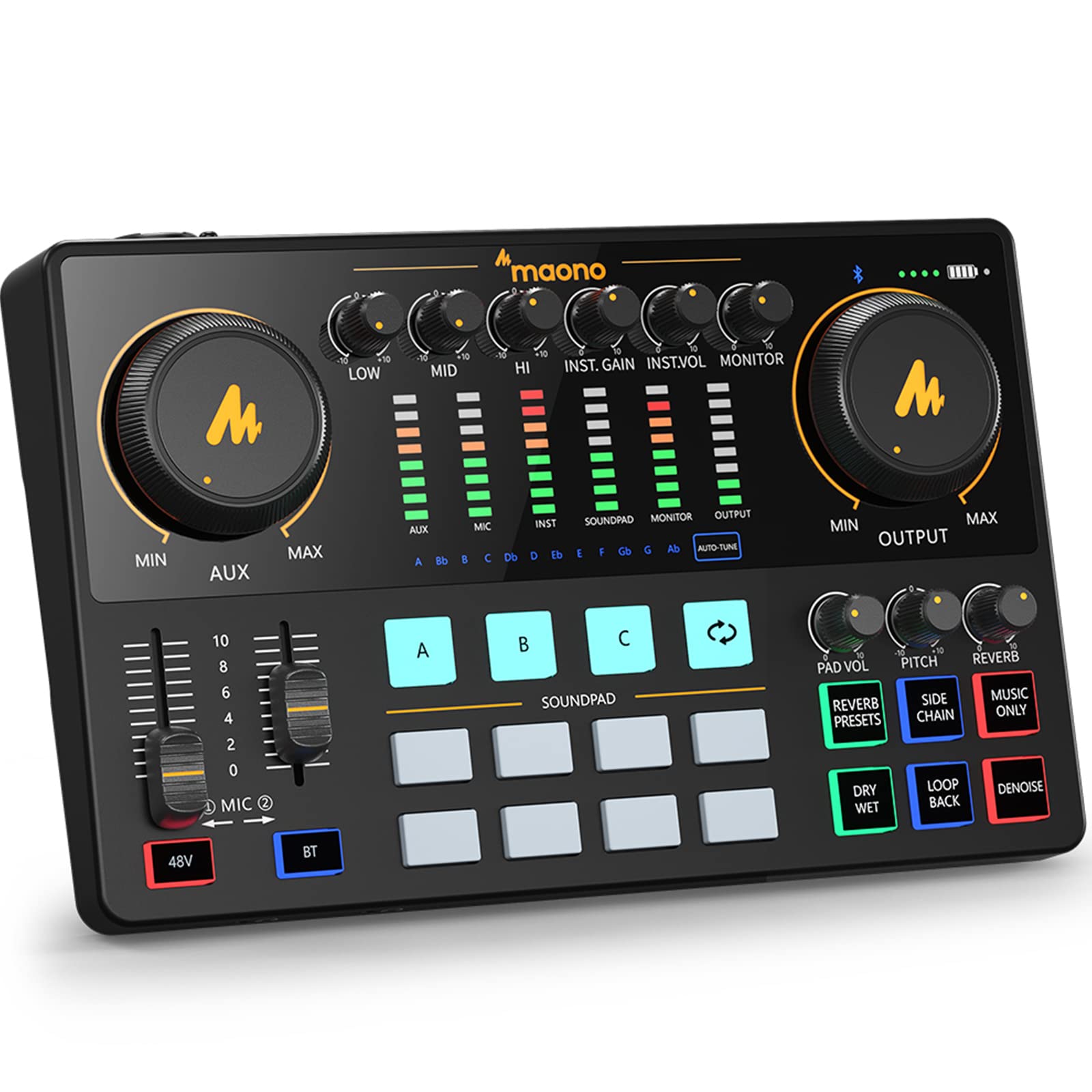
- Two XLR microphone inputs with up to 60 dB gain and 48V phantom power.
- Eleven customizable sound pads, six reverb modes, and voice controls.
- 6.35 mm instrument input for guitar or bass, plus Bluetooth and USB-C connections.
Best For: Podcasters and streamers who want built-in sound pads, voice effects, and instrument input.

MAONO P2 Hybrid USB Audio Interface
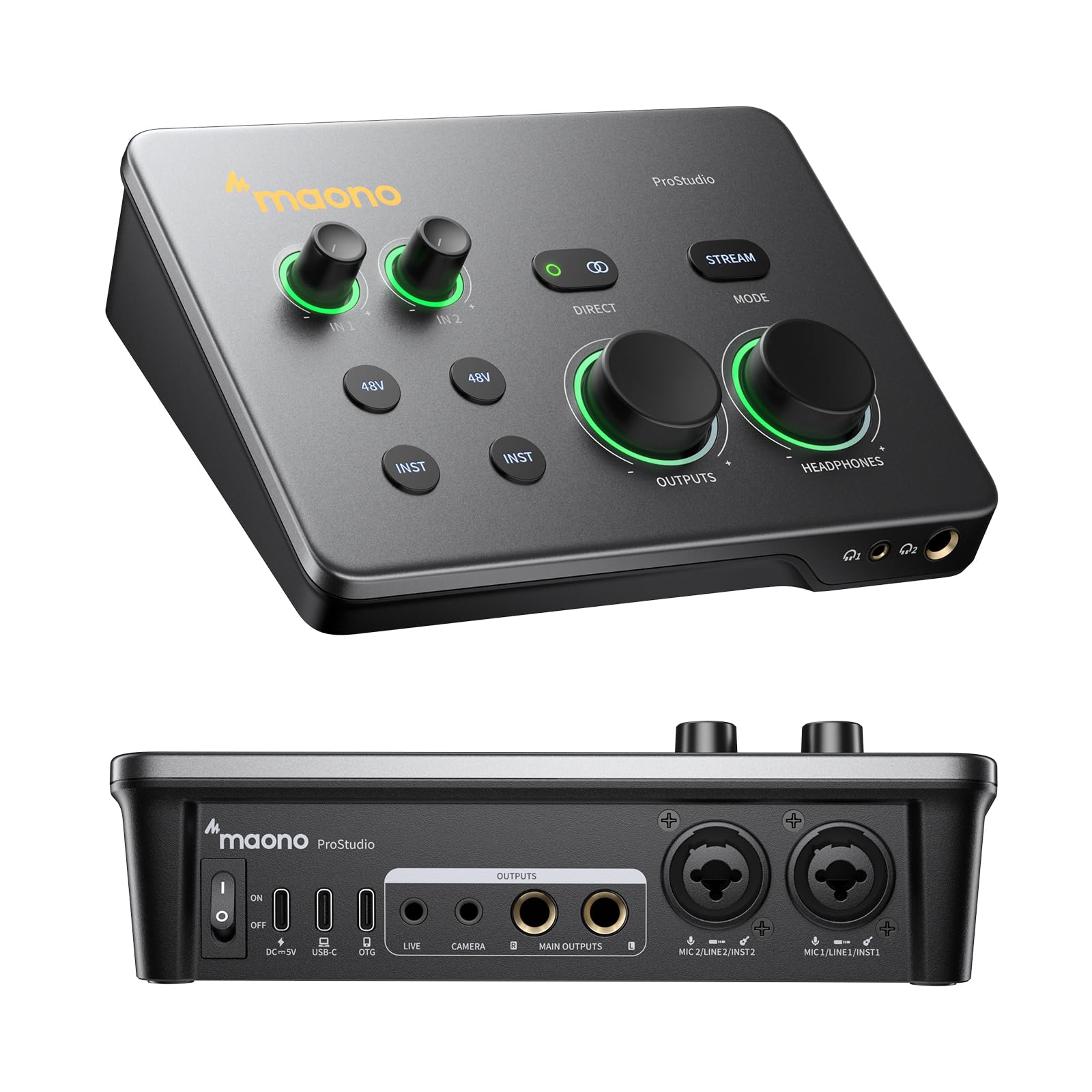
- Two USB ports connect a computer and phone or iPad simultaneously.
- Dual XLR inputs support condenser and dynamic microphones; recording supports 24-bit/192kHz.
- Loopback, direct monitoring, and independent headphone and monitor controls.
Best For: Creators who record on a computer and phone or tablet in the same workflow.
MAONO PS22 Lite
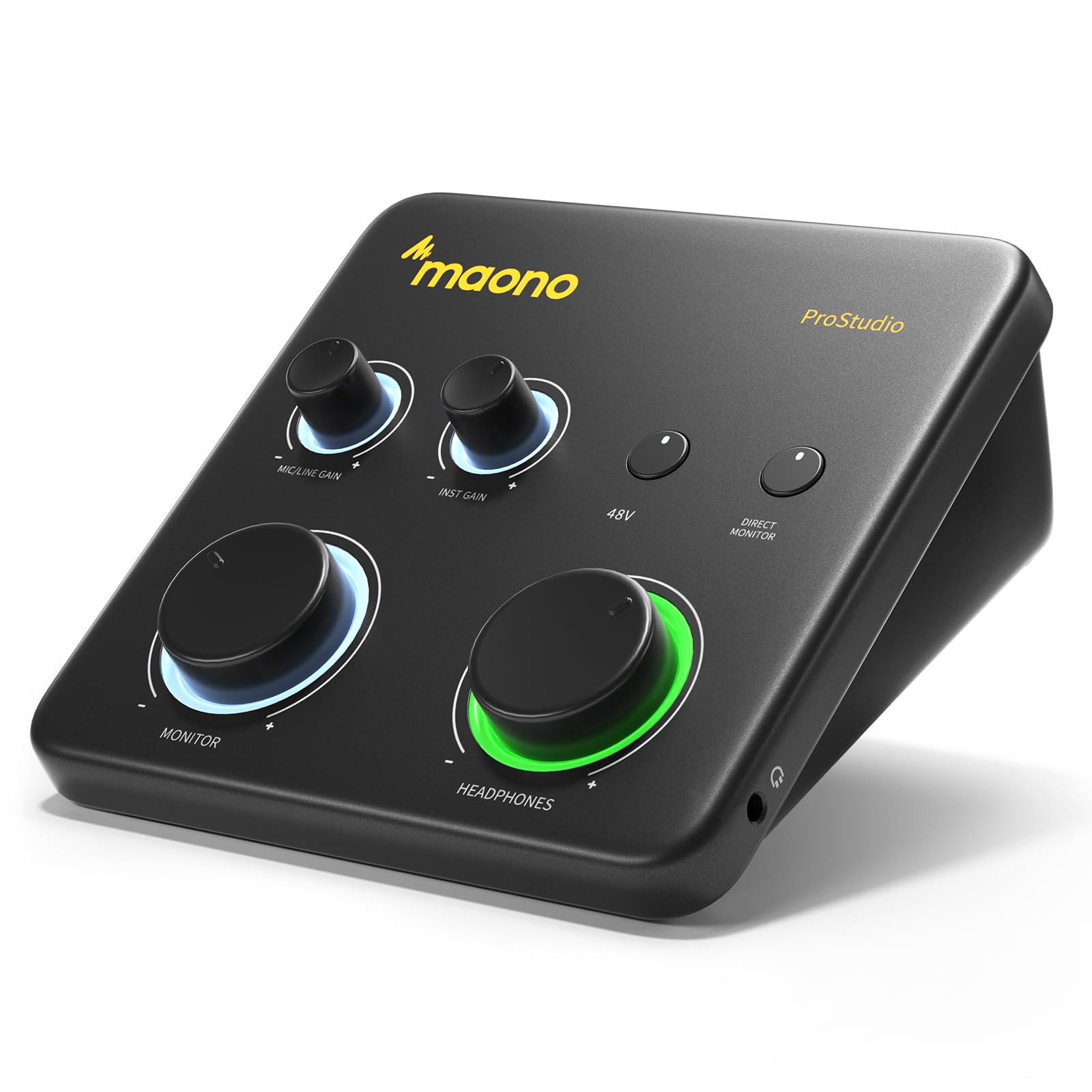
- One XLR input with up to 56 dB gain and 48V phantom power, plus a dedicated instrument input.
- Supports 24-bit/192kHz recording and direct monitoring.
- Compact design with ProStudio routing software, loopback, and ASIO driver compatibility.
Best For: Beginners and home musicians seeking a compact interface for vocals, guitar, and streaming.
MAONO MaonoCaster E2 Gen2
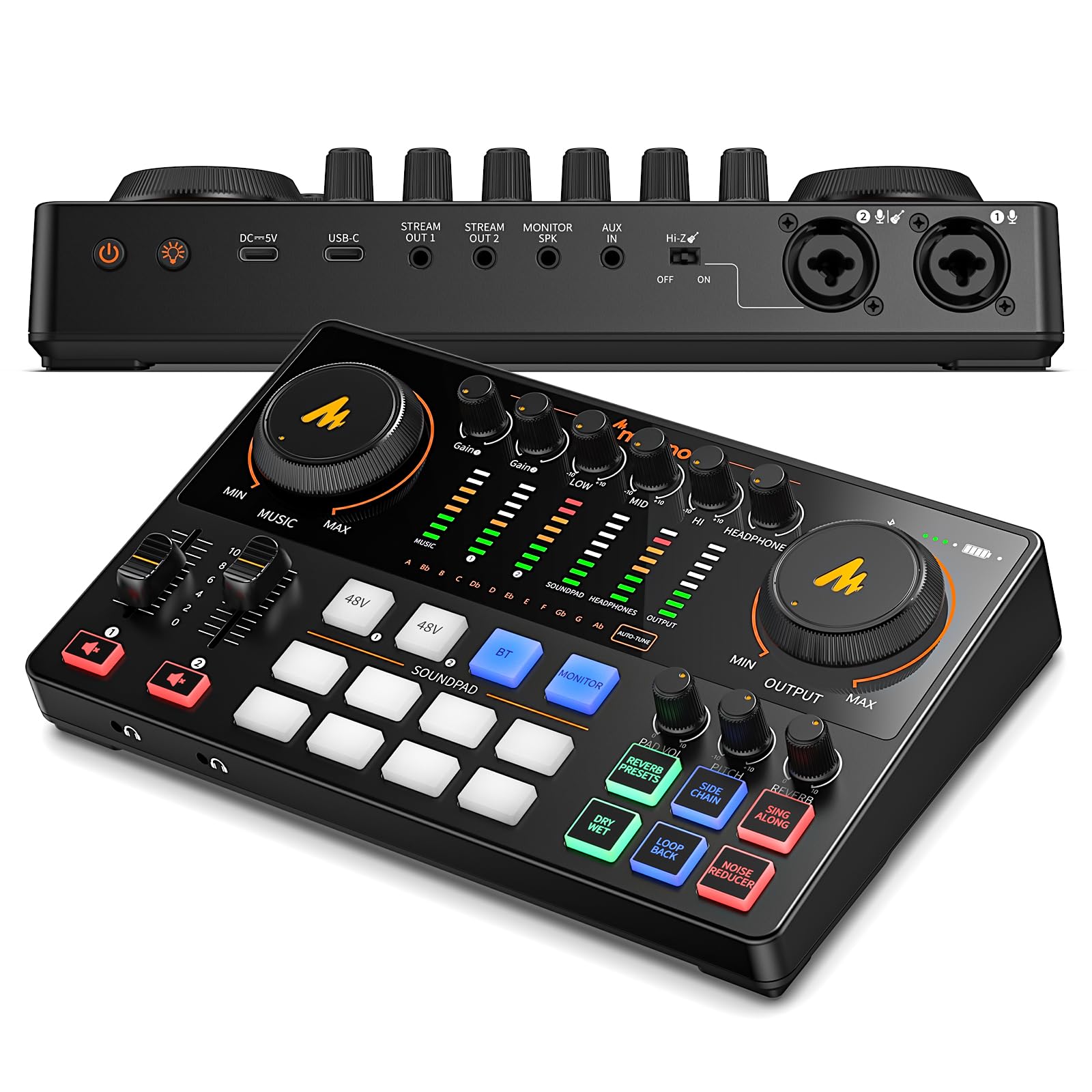
- Two XLR combo inputs with preamps offering up to 60 dB gain.
- Eight customizable sound-effect buttons, six reverb presets, and pitch effects.
- Built-in 1500 mA battery rated for up to eight hours, with USB-C and phone connections.
Best For: Two-person podcasts and mobile streams that benefit from dual XLR inputs and battery operation.
Podcast Mixer with Custom Sound Pads
MAONO Audio Interface, MaonoCaster 10-Channel Podcast mixer with Pro-preamp, 48V Phantom Power, Bluetooth, 11 Customize sound pads for Recording, Streaming, Youtube, TikTok, PC, Guitar (AME2)
The MAONO MaonoCaster AME2 combines an audio interface with a 10-channel podcast mixer. It has two XLR microphone inputs with up to 60 dB of gain and 48V phantom power, plus a 6.35 mm instrument input for guitar or bass.
Eleven customizable sound pads, six reverb modes, tone controls, and pitch effects put more live production options on the console. Bluetooth, USB-C, and phone output connections support several streaming workflows.
It can also connect to computers, tablets, smartphones, and cameras. This feature-rich layout suits creators who want hands-on podcast controls, though it takes more desk space and setup attention than a compact recording interface.
Best For: Podcasters and streamers who want built-in sound pads, voice effects, and instrument input.
| Pros | Cons |
|---|---|
|
|
Choose the AME2 if you want to trigger sound clips and adjust voice effects directly while hosting or streaming. Its instrument input also accommodates guitar or bass, which makes it more flexible than a voice-only setup.
Before buying, check that your microphone uses a supported analog connection; USB microphones are incompatible. Consider whether you will use its phone outputs and live controls, since a smaller interface may suit a simpler recording routine.
Dual XLR Interface for Phone and Computer
MAONO P2 Hybrid USB Audio Interface Dual XLR for PC Phone iPad Guitar
The MAONO P2 Hybrid is a dual XLR USB audio interface built for creators who move between computer recording and mobile publishing. Its two USB ports can connect a computer and a phone or iPad at the same time, and its listed recording resolution is 24-bit/192kHz.
It supports condenser and dynamic microphones, instruments, direct monitoring, and loopback. Separate headphone and monitor controls, mute controls, and signal indicators help manage a stream or recording session.
A 15-degree tilt and compact aluminum-alloy housing suit a desk or mobile setup. Its hybrid connections are most useful when your workflow genuinely includes both a computer and mobile device.
Best For: Creators who record on a computer and phone or tablet in the same workflow.
| Pros | Cons |
|---|---|
|
|
Pick the P2 Hybrid when switching between computer production and phone or tablet streaming is central to your routine. Its dual USB connections and routing software support that workflow, while direct monitoring and separate output controls help manage what you hear.
If you only need a compact interface for a microphone and guitar on a computer, the PS22 Lite offers a simpler form factor. Check your preferred recording software and device connections before choosing.
Compact Interface for Home Recording
MAONO PS22 Lite USB Audio Interface for PC: Interface with XLR Input 24-bit/192kHz Routing Software LOOPBACK ASIO Driver for Recording Music, Home-Studio, Guitar, Podcast, Streaming, DAW(Black)
The MAONO PS22 Lite is a compact USB audio interface for PC and Mac recording, with iPad compatibility also included. It has one XLR input with up to 56 dB of preamp gain, 48V phantom power, and a dedicated instrument input with impedance adjustment.
Recording supports 24-bit/192kHz, and the interface includes direct monitoring and a dynamic input-status light ring. ProStudio routing software adds virtual channels and loopback for streaming, with ASIO driver compatibility for low-latency output.
Its small size and recording, broadcast, and instrument modes make it a practical starting point for a home setup. It has fewer live mixer controls than the podcast-focused models here.
Best For: Beginners and home musicians seeking a compact interface for vocals, guitar, and streaming.
| Pros | Cons |
|---|---|
|
|
The PS22 Lite suits a home musician or new creator who wants a small interface for one microphone and an instrument. It offers useful recording resolution and software routing without the larger mixer feature set of the AME2 or E2 Gen2.
If you plan to record two microphones together, consider an interface with dual XLR inputs instead. Check that your DAW selects the MAONO ASIO driver when using ASIO-compatible software.
Two-Mic Podcast Setup with Battery Power
MAONO Podcast Equipment Bundle: Audio Interface mixer with Dual XLR Input for Podcast Streaming - MaonoCaster E2 Gen2
The MAONO MaonoCaster E2 Gen2 is a podcast mixer and audio interface with two XLR combo inputs, each supported by preamps offering up to 60 dB of gain. Its USB-C and 3.5 mm ports connect with computers and phones, while Bluetooth and AUX-IN add options for background audio.
Eight customizable sound-effect buttons, six preset reverb modes, pitch effects, and one-touch mute are geared toward live shows. Loopback supports computer streaming, and the built-in 1500 mA battery is rated for up to eight hours of use.
It fits co-hosts and creators who want a portable, hands-on podcast console. Its multiple controls and effects are less essential for basic solo recording.
Best For: Two-person podcasts and mobile streams that benefit from dual XLR inputs and battery operation.
| Pros | Cons |
|---|---|
|
|
Choose the E2 Gen2 for a two-microphone podcast setup, especially if you want a battery-powered mixer for mobile sessions. The two XLR combo inputs and live sound controls distinguish it from the single-input PS22 Lite.
Its eight-hour maximum battery rating is a planning factor, so consider whether your sessions will have access to charging. For a computer-only workflow with fewer live controls, a compact interface may be easier to fit into your routine.
How to Choose Audio Interfaces
How We Picked Audio Interfaces
We focused on distinct recording jobs represented by these four interfaces: compact home recording, hybrid phone-and-computer creation, and podcast mixing for one or more hosts. Input count, connection options, monitoring, loopback, portability, and hands-on controls help distinguish the choices.
All four support creator workflows, but they serve different setups. The PS22 Lite is the compact option with one XLR input and an instrument input.
The P2 Hybrid emphasizes simultaneous computer and mobile connections. The AME2 and E2 Gen2 add podcast mixer controls, sound pads, and voice effects, with the E2 Gen2 offering two XLR combo inputs and a built-in battery.
Comparing Audio Interfaces for Home Recording
Start with how many microphones you need to record at once. The PS22 Lite has one XLR input; the P2 Hybrid and both podcast mixers have two XLR inputs.
For co-hosts, two inputs let each microphone connect separately. For solo vocals and guitar, the PS22 Lite's separate instrument input may cover the essentials.
Then consider where your audio needs to go. The P2 Hybrid connects a computer and a phone or iPad simultaneously.
The AME2 and E2 Gen2 provide phone-oriented connections alongside computer streaming options. The PS22 Lite is focused on a computer-centered recording setup, with iPad compatibility as well.
| Product | Standout features | Best for |
|---|---|---|
| MAONO MaonoCaster AME2Check Price |
| Podcasters and streamers who want built-in sound pads, voice effects, and instrument input. |
| MAONO P2 Hybrid USB Audio InterfaceCheck Price |
| Creators who record on a computer and phone or tablet in the same workflow. |
| MAONO PS22 LiteCheck Price |
| Beginners and home musicians seeking a compact interface for vocals, guitar, and streaming. |
| MAONO MaonoCaster E2 Gen2Check Price |
| Two-person podcasts and mobile streams that benefit from dual XLR inputs and battery operation. |
Choosing a Podcast Interface or Recording Mixer
Sound pads and effects matter when you want to produce a show live. The AME2 has eleven customizable pads, while the E2 Gen2 has eight.
Both add reverb and pitch controls; the E2 Gen2 also has two XLR combo inputs and a built-in battery rated for up to eight hours. These features can simplify live production, but they add controls that a straightforward recording workflow may not use.
For streaming, check whether loopback and monitoring match your software and setup. The PS22 Lite and P2 Hybrid include loopback, while the AME2 and E2 Gen2 also offer loopback functions.
Direct monitoring and independent output controls are especially relevant if you need to hear a microphone or instrument while managing a live stream.
Who Should Buy Which Audio Interface?
Choose the PS22 Lite for compact single-microphone recording with an instrument input. Consider the P2 Hybrid if you want to connect a computer and phone or tablet together.
Pick the AME2 for a sound-pad-rich podcast mixer with guitar or bass input, or the E2 Gen2 if dual XLR microphones and battery operation matter more.
Before ordering, confirm the interface has the inputs your microphones and instruments require, and check its device connections against your computer or mobile workflow. If you use a USB microphone, note that the AME2 does not support USB microphones.